Hop Don't Stop
Parkour Game • Casual Game
Play Hop Don't Stop
Tap Play, then tap inside the stage so controls reach the game.
 Hop Don't Stop
Game Info
- Game
- Hop Don't Stop
- Genre
- Parkour / Casual
- Platform
- Browser / Mobile browsers
- Players
- Single Player
- Difficulty
- Medium — readable traps with room to learn
Hop Don't Stop Controls
On keyboard, bind lane switches to A and D or the arrow keys, with jump on space. Avoid putting jump on the same hand that moves left and right; separating them reduces clumsy overlaps where you change lanes and jump by accident. On touch screens, adjust your grip so your thumb can comfortably swipe left or right without leaving the surface—lifting your finger between swipes often adds just enough delay to miss narrow gaps.
About Hop Don't Stop
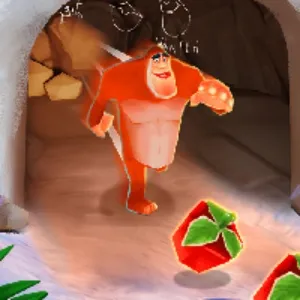
Hop Don't Stop is a light‑hearted endless runner starring a hyperactive bunny obsessed with shiny crystals. Tracks twist and split into multiple lanes, each packed with rocks, spike traps and tempting gem lines that pull you into riskier routes. The tension comes from deciding when to play safe and when to dive for extra loot before the terrain collapses beneath your paws.
Use the left and right keys or A and D to switch lanes, tap jump to clear gaps and low hazards, and hold longer for bigger arcs over dangerous stretches. Some tiles crumble after you touch them, while others hide obstacles behind blind corners, so you must constantly adjust your path on the fly. Gems add score multipliers, but chasing every cluster often leads you into dead ends, making route planning as important as raw reactions.
Read more about Hop Don't StopShow less
Early on, practise staying in the centre lane and only moving when a hazard truly blocks you—this builds a calm baseline rhythm. Once you are comfortable, start incorporating side lane detours to pick up safe gem clusters without committing to every risky jump. Look two or three tiles ahead of the bunny rather than at its feet so you have time to choose between lanes. If you find a section that keeps ending your run, deliberately replay it by steering into that pattern and experimenting with different lane changes until you find a stable solution.
Browser play on this site is meant for short sessions: a few focused retries teach the section faster than an hour of angry mashing.
Hop Don't Stop on this website is offered as a browser HTML5 embed for quick sessions. Click Play, then click inside the stage so keyboard or touch input reaches the game instead of scrolling the page.
Progress here is about cleaner movement and better reads—not a long campaign menu. Fail, name the mistake, retry. That loop is the product.
Hop Don't Stop Screenshots
Hop Don't Stop Tips
- Click inside Hop Don't Stop before using the keyboard so input does not scroll the page.
- Survive the first clear before chasing optional collectibles.
- Name the reason for every death—early jump, late slide, wrong lane, or bad landing.
- Look two obstacles ahead while finishing the current move.
- Keep inputs deliberate; panic mashing creates new mistakes.
- Stop after two clean segments—tired hands fail first.
- Use fullscreen on small screens only after the embed has focus.
- Early on, practise staying in the centre lane and only moving when a hazard truly blocks you—this builds a calm baseline rhythm. Once you are comfortable, start incorporating side lane detours to pick up safe gem clusters without committing to every risky jump. Look two or three tiles ahead of the bunny rather than at its feet so you have time to choose between lanes. If you find a section that keeps ending your run, deliberately replay it by steering into that pattern and experimenting with different lane changes until you find a stable solution.
- To maximise score, define a personal ‘safe gem rule’, such as only going for clusters that require one lane change and a single jump. This keeps you from chasing greedy patterns that lead straight into rocks. Observe how crumble tiles behave after you land on them; many still give you a fraction of a second to leap again, which can be turned into deliberate bounce routes. Once you know a stretch of track well, pre‑plan which lane you want to be in at each corner so that gem strings naturally fall into your path instead of forcing last‑second detours.
How to Play Hop Don't Stop
Jumping
Use the left and right keys or A and D to switch lanes, tap jump to clear gaps and low hazards, and hold longer for bigger arcs over dangerous stretches. Some tiles crumble after you touch them, while others hide obstacles behind blind corners, so you must constantly adjust your path on the fly. Gems add score multipliers, but chasing every cluster often leads you into dead ends, making route planning as important as raw reactions.
Sliding
Slide under low barriers with deliberate timing—early slides stall, late slides clip.
Movement tricks
Wall contacts, vaults, or momentum tricks only help after the safe line is known. Clear first, style later.
Avoiding traps
Look past the hazard you are clearing. Many fails happen after a successful move into the next trap with no recovery time.
Early on, practise staying in the centre lane and only moving when a hazard truly blocks you—this builds a calm baseline rhythm. Once you are comfortable, start incorporating side lane detours to pick up safe gem clusters without committing to every risky jump. Look two or three tiles ahead of the bunny rather than at its feet so you have time to choose between lanes. If you find a section that keeps ending your run, deliberately replay it by steering into that pattern and experimenting with different lane changes until you find a stable solution.
Hop Don't Stop Levels
Hop Don't Stop uses short stages or escalating stretches built for retries. Exact stage counts and names can change with updates, so this guide avoids fake level lists.
Difficulty usually rises as jumps, slides, lane changes, or other verbs appear in tighter combinations—not only because a single obstacle looks larger.
A practical approach: clear once without optional pickups, then replay for cleaner movement or collectibles.
Hop Don't Stop on Mobile
Hop Don't Stop on this website is a browser HTML5 embed. You can play in a desktop or mobile browser without installing a desktop launcher from this page.
Some titles also exist as separate mobile store apps. Store builds can differ in menus, updates, saves, and control overlays. Clearing a stage in the browser embed does not automatically sync with an app save.
Desktop keyboards are often kinder for precise timing. On phones, keep the game area large enough to see upcoming obstacles and use fullscreen when the player supports it.
If controls fail, tap or click inside the game first. Then refresh or try another current browser if input still never arrives.
Hop Don't Stop vs Similar Games
| Game | Style | Difficulty | Main Mechanic |
|---|---|---|---|
| Hop Don't Stop | Parkour | Hard | Jump / Slide |
| Rhythm Race | Parkour | Hard | Movement |
| Town Run | Parkour | Hard | Movement |
| Running Fred | 3D Runner | Hard | Dodge |
Frequently Asked Questions
Hop Don't Stop frequently asked questions
Can I stop to plan jumps?
Not really. The run keeps moving. Plan lanes while hopping, not while standing still.
Are gems required to progress?
No. They boost score. Survival comes from lane choice, not collection.
Best controls for lane swaps?
A/D or left/right for lanes, space for jump. Keep jump on a separate hand when possible.
Does Hop Don't Stop run in browser?
Yes. HTML5 embed on this page—focus it and play.
You May Also Like