Dreadhead Parkour
Parkour Game • Action Game • Platform Game
Play Dreadhead Parkour
Tap Play, then tap inside the stage so controls reach the game.
 Dreadhead Parkour
Game Info
- Game
- Dreadhead Parkour
- Developer
- Gametornado
- Genre
- Parkour / Action / Platform
- Platform
- Browser / Mobile
- Players
- Single Player
- Difficulty
- Hard — precision jump and slide timing
Dreadhead Parkour Controls
Click inside the game area first so keyboard input goes to the player instead of scrolling the page. On desktop, move with A/D or the arrow keys, jump with Space or Up, and slide with S or Down. Touch builds use on-screen buttons; always tap the stage once after Play so gestures reach the game.
If a key seems dead, refocus the player before changing settings. Fullscreen on the player toolbar can help on small screens, but focus comes first—enlarging an unfocused embed will not fix input.
About Dreadhead Parkour
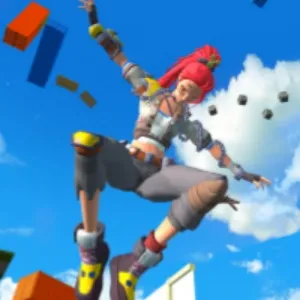
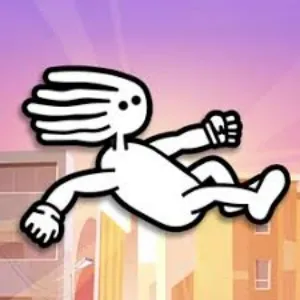
Dreadhead Parkour is a compact parkour and platform game built around movement under pressure. You guide a dreadlocked runner through short, handcrafted stages filled with gaps, spikes, circular saws, beams, and platforms that punish a late read. The fantasy is free-running energy, but the real product is timing: knowing when to tap a short jump, when to hold for hang time, and when a slide is the only safe answer.
Unlike open-world freerun sims, this game does not ask you to wander a city or manage a long campaign menu. Each stage is a corridor of decisions. You look ahead, choose a movement, land, and immediately face the next hazard. Fail once and you restart the section with a clearer picture of what went wrong. That loop is why the game fits short sessions—progress feels like cleaner movement, not a filled checklist.
Read more about Dreadhead ParkourShow less
The character silhouette is easy to track at speed. That matters when saws occupy a lane or spikes sit on the only obvious landing. Coins and stars often sit on greedier lines than the safe route. On a first clear, the smarter goal is usually survival: learn where the traps are, then replay for pickups once the boring line is automatic.
Controls stay intentionally light. On desktop, keyboard movement, jump, and slide cover most of what you need. The difficulty comes from layouts that combine those verbs in tighter windows as you advance. A gap that needed a short hop earlier may later sit in front of a low beam, so you must plan the landing for the slide that follows—not only for the jump you are about to make.
A useful mental model is “one decision at a time, with the next decision already in view.” Players who stare only at their feet clear the current trap and then panic. Players who keep the camera’s next hazard in mind leave enough space to jump, slide, or wait. That habit matters more than raw speed. Many hard stages are less about faster fingers and more about refusing the first greedy landing that looks close but leaves no recovery room.
Store listings for the mobile editions credit Gametornado and describe running, flipping, vaulting, sliding, climbing, collecting coins, finding stars, and avoiding dangerous mechanisms. The browser build on this page shares that same movement fantasy. It is an HTML5 player you can open in a tab; it is not the Google Play or App Store app itself, and clearing a stage here does not sync with a mobile save file.
What makes Dreadhead Parkour rewarding is the moment a section stops feeling random. Early deaths often look unfair. After a few named failures—late slide, short jump, landing on a collapsing tile—the same corridor becomes a rhythm you can repeat. That shift from panic to pattern recognition is the core of the game, whether you play for five minutes or grind a stubborn stage until the route feels boring in the best way.
Dreadhead Parkour Screenshots
Dreadhead Parkour Tips
- Scout a new section twice before collecting coins or stars.
- Name the reason for every death—early jump, late slide, or bad landing—before you mash restart.
- Hold jump only when the gap needs hang time; short taps are safer on tight landings.
- Slide one stride before a low barrier, not the frame you touch it.
- Skip pickups that sit on saw lines until the clean route is automatic.
- Take one extra step before some jumps so the next landing lines up with a safer tile.
- In repeating hazard patterns, pick one “home” landing and aim there every time.
- Stop after two clean clears of a hard segment—tired hands fail before tired eyes do.
- On laptop keyboards, keep jump and slide on adjacent fingers so you can roll between them.
How to Play Dreadhead Parkour
Jumping
Jump length is the foundation skill. A short tap clears small gaps; a longer hold adds hang time for wider pits. Practice on an early gap until you can predict where you will land from each input length.
Use environment markers—platform edges, wall corners, floor seams—as timing cues. Jumping only when the hazard is centered on screen is how players clip a saw they already saw coming.
Sliding
Slide under low barriers and tight openings. Enter the slide early enough to clear the obstacle, late enough that you keep forward momentum. Sliding the moment you spot a beam often stalls you; waiting until impact is too late.
Treat slide as a committed verb. Changing your mind mid-animation usually places you in the hazard you were trying to avoid.
Flipping and Tricks
Parkour flair—flips, vaults, and stunt-style moves—shows up as part of the movement fantasy described in mobile store copy. In practice, flashy motion still sits on the same timing rules: you need a safe launch, a clear landing, and enough time before the next trap.
Do not chase style on a first clear. Learn the safe jump–slide line, then add riskier paths once you can repeat the section without panicking.
Avoiding Traps
Spikes punish landings. Saws punish lanes and greedy coin routes. Gaps punish short jumps. Moving or collapsing platforms punish impatience. When a cycle confuses you, watch one fail without pressing anything, then play the cycle you saw.
Look two obstacles ahead. Clearing one trap only to land in the next with no reaction time is the most common mid-stage death.
Dreadhead Parkour Levels
Dreadhead Parkour is structured as a series of handcrafted missions rather than a single endless lane. Exact stage names and counts change with updates, so this page does not invent a fixed level-by-level walkthrough.
Level progression generally introduces more demanding combinations of jumps, slides, and hazards. Early stages teach basic jump length and simple spike or gap reads. Later stages stack those verbs—jump into a slide, land on a short platform, then commit to the next trap with less recovery time.
Obstacle types you should expect include gaps, spike pits, circular saws, low beams, climbing or wall contacts, and platforms that move or collapse. Difficulty rises when those elements appear closer together, not only when a single trap looks larger.
A practical approach is to treat each stage as a timing lab: learn the route, clear it once without optional pickups, then replay for cleaner movement or collectibles. That habit scales better than grinding for a perfect first attempt on an unfamiliar layout.
Dreadhead Parkour on Mobile
Dreadhead Parkour exists as official mobile apps on Android (Google Play) and iOS (App Store), credited to Gametornado. Those store builds may include their own menus, updates, skins, and save data.
The version on this website is a browser HTML5 player. It is convenient for quick sessions on desktop or mobile browsers, but it is not the same installable app package. Progress, unlocks, and controls can differ between the web embed and the store apps.
On desktop browsers, a physical keyboard is usually the most comfortable way to handle jump and slide timing. On phones and tablets, use touch controls if the embed provides them, keep the game area large enough to see upcoming obstacles, and use fullscreen when the player supports it.
If controls fail on any device, tap or click inside the game first. If the problem continues, refresh the page or try another current browser to separate a focus issue from a device limitation.
Dreadhead Parkour vs Similar Games
| Game | Style | Difficulty | Main Mechanic |
|---|---|---|---|
| Dreadhead Parkour | Parkour | Hard | Jump / Slide |
| Vector Rush | Runner | Hard | Timing |
| Cube Ninja | Platform | Hard | Flip |
| Running Fred | 3D Runner | Hard | Dodge |
Frequently Asked Questions
Dreadhead Parkour frequently asked questions
Can I play Dreadhead Parkour online?
Yes. Use the browser player on this page. Click Play, then click inside the stage so keyboard input reaches the game.
Who developed Dreadhead Parkour?
Public mobile store listings credit Gametornado. This website is independent and is not an official Gametornado storefront.
Do I need to download the game to play here?
Not for this page. The embed is an HTML5 browser build. Official Android and iOS apps are separate store downloads if you prefer those versions.
What are the keyboard controls?
Typically A/D or arrows to move, Space or Up to jump, and S or Down to slide. Always click the game area first so keys do not scroll the page.
Is the browser version the same as the mobile app?
They share the same parkour fantasy, but the web embed and the store apps can differ in menus, updates, saves, and control overlays. Treat them as related editions, not one synced account.
How should I approach harder levels?
Learn the route without optional pickups, identify why each death happens, and practice the demanding jump–slide combinations until the section becomes repeatable.
You May Also Like