Vector Rush
Parkour Game • Action Game
Play Vector Rush
Tap Play, then tap inside the stage so controls reach the game.
 Vector Rush
Game Info
- Game
- Vector Rush
- Genre
- Parkour / Action
- Platform
- Browser / Mobile browsers
- Players
- Single Player
- Difficulty
- Medium — readable traps with room to learn
Vector Rush Controls
Vector Rush features quick transitions between moves, so map jump, slide and any dedicated vault key to a compact cluster of buttons you can roll your fingers across—such as Z/X/C or J/K/L. Keeping all parkour actions under one hand allows the other to focus on directional input or camera tweaks. If you use a controller, experiment with putting slides on a bumper so you can chain jump‑slide sequences without contorting your thumb.
About Vector Rush
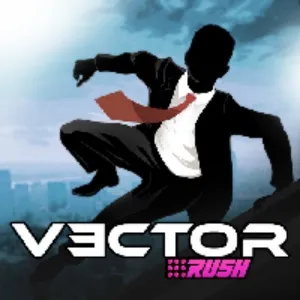
Vector Rush presents parkour as a crisp black silhouette dashing across light backgrounds. Buildings, ledges and barriers are stripped to their essentials, focusing your attention on movement and timing rather than detailed textures. The result is a runner that feels clean and athletic, with a strong emphasis on maintaining momentum.
You control a freerunner who auto-moves forward while you trigger jumps, slides and vaults at key points. Ledges of varying heights, wall segments and drops demand different responses: short hops for low gaps, wall jumps for vertical sections and slides for narrow underpasses. Missing the correct move usually kills your speed or ends the run outright.
Read more about Vector RushShow less
Vector Rush on this website is offered as a browser HTML5 embed for quick sessions. Click Play, then click inside the stage so keyboard or touch input reaches the game instead of scrolling the page.
Progress here is about cleaner movement and better reads—not a long campaign menu. Fail, name the mistake, retry. That loop is the product.
Vector Rush Screenshots
Vector Rush Tips
- Click inside Vector Rush before using the keyboard so input does not scroll the page.
- Survive the first clear before chasing optional collectibles.
- Name the reason for every death—early jump, late slide, wrong lane, or bad landing.
- Look two obstacles ahead while finishing the current move.
- Keep inputs deliberate; panic mashing creates new mistakes.
- Stop after two clean segments—tired hands fail first.
- Use fullscreen on small screens only after the embed has focus.
- Listen to the subtle audio cues of footsteps and jumps along with watching the environment; together they help you feel when to trigger the next action. Practise reading the outline of upcoming obstacles to know in advance whether a jump, slide or climb is required. When learning a route, focus on staying in motion rather than perfection—once you can consistently reach later segments, you can return to polish earlier sections into smoother, more stylish lines.
- When chasing smooth, stylistic runs, think in terms of ‘flow segments’—chunks of level where your character never fully stops moving. Within each segment, look for spots where a wall run or early slide can shave off tiny pauses or stutters. Recording a successful run and watching it back can reveal unnecessary micro‑adjustments; your goal is to replace them with deliberate, continuous motions that make the silhouetted freerunner look as if they are gliding.
How to Play Vector Rush
Jumping
You control a freerunner who auto-moves forward while you trigger jumps, slides and vaults at key points. Ledges of varying heights, wall segments and drops demand different responses: short hops for low gaps, wall jumps for vertical sections and slides for narrow underpasses. Missing the correct move usually kills your speed or ends the run outright.
Sliding
Slide under low barriers with deliberate timing—early slides stall, late slides clip.
Movement tricks
Wall contacts, vaults, or momentum tricks only help after the safe line is known. Clear first, style later.
Avoiding traps
Look past the hazard you are clearing. Many fails happen after a successful move into the next trap with no recovery time.
Listen to the subtle audio cues of footsteps and jumps along with watching the environment; together they help you feel when to trigger the next action. Practise reading the outline of upcoming obstacles to know in advance whether a jump, slide or climb is required. When learning a route, focus on staying in motion rather than perfection—once you can consistently reach later segments, you can return to polish earlier sections into smoother, more stylish lines.
Vector Rush Levels
Vector Rush uses short stages or escalating stretches built for retries. Exact stage counts and names can change with updates, so this guide avoids fake level lists.
Difficulty usually rises as jumps, slides, lane changes, or other verbs appear in tighter combinations—not only because a single obstacle looks larger.
A practical approach: clear once without optional pickups, then replay for cleaner movement or collectibles.
Vector Rush on Mobile
Vector Rush on this website is a browser HTML5 embed. You can play in a desktop or mobile browser without installing a desktop launcher from this page.
Some titles also exist as separate mobile store apps. Store builds can differ in menus, updates, saves, and control overlays. Clearing a stage in the browser embed does not automatically sync with an app save.
Desktop keyboards are often kinder for precise timing. On phones, keep the game area large enough to see upcoming obstacles and use fullscreen when the player supports it.
If controls fail, tap or click inside the game first. Then refresh or try another current browser if input still never arrives.
Vector Rush vs Similar Games
| Game | Style | Difficulty | Main Mechanic |
|---|---|---|---|
| Vector Rush | Parkour | Hard | Jump / Slide |
| Dreadhead Parkour | Parkour | Hard | Jump / Slide |
| Temple Run | Parkour | Hard | Movement |
| Cube Ninja | Platform | Hard | Flip |
Frequently Asked Questions
Vector Rush frequently asked questions
Can I play Vector Rush online?
Yes. Use the browser player on this page. Click Play, then click inside the stage so controls reach the game.
Do I need to download Vector Rush?
Not for this page. The embed is an HTML5 browser build. Any official mobile store app is a separate product.
What are the controls for Vector Rush?
Use the keyboard or on-screen controls shown in the player. Always click the game area first so keys do not scroll the page.
Controls are not responding—what should I check?
Click or tap inside the game area so the player has focus, then try again. If needed, refresh the page or try another current browser.
Can I play Vector Rush on mobile?
Mobile browser play depends on the embed and touch controls. Keep the stage visible and use fullscreen when available. Desktop keyboards are often easier for precise timing.
What makes Vector Rush challenging?
Difficulty comes from timing, reading the next hazard, and committing to movement under pressure—not from complicated menus.
You May Also Like