Skiing Fred
Parkour Game • Action Game • Sport Game
Play Skiing Fred
Tap Play, then tap inside the stage so controls reach the game.
 Skiing Fred
Game Info
- Game
- Skiing Fred
- Genre
- Parkour / Action / Sport
- Platform
- Browser / Mobile browsers
- Players
- Single Player
- Difficulty
- Medium — readable traps with room to learn
Skiing Fred Controls
Skiing Fred feels best with analogue tilt control—use a gamepad stick or tilt‑based mobile controls if available. On keyboard, map turns to left/right and treat taps as nudges rather than holds, with jump on space. If motion blur or camera shake options exist, consider toning them down so you can clearly see gate spacing and slope contours when planning turns.
About Skiing Fred
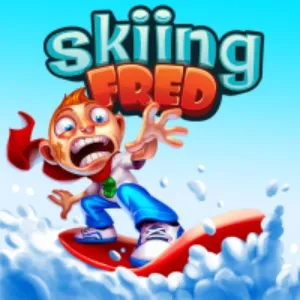
Skiing Fred transforms the brutal corridors of Running Fred into steep, icy mountainsides. Fred hurtles down uncontrolled slopes while saw blades, poles and rocks wait to end his holiday in spectacular ragdoll fashion. Underneath the slapstick gore is a genuinely tense dodging game where reading terrain and planning wide, flowing turns are essential.
Tilt Fred left and right to carve around obstacles, using broader arcs at high speed to avoid over‑steering into hazards. Some sections feature broken bridges or chasms that require well‑timed jumps to clear, while others squeeze you through narrow rock channels filled with spinning blades. Speed increases gradually, shrinking your reaction window and forcing you to commit to lines earlier.
Read more about Skiing FredShow less
Skiing Fred on this website is offered as a browser HTML5 embed for quick sessions. Click Play, then click inside the stage so keyboard or touch input reaches the game instead of scrolling the page.
Progress here is about cleaner movement and better reads—not a long campaign menu. Fail, name the mistake, retry. That loop is the product.
Skiing Fred Screenshots
Skiing Fred Tips
- Click inside Skiing Fred before using the keyboard so input does not scroll the page.
- Survive the first clear before chasing optional collectibles.
- Name the reason for every death—early jump, late slide, wrong lane, or bad landing.
- Look two obstacles ahead while finishing the current move.
- Keep inputs deliberate; panic mashing creates new mistakes.
- Stop after two clean segments—tired hands fail first.
- Use fullscreen on small screens only after the embed has focus.
- Rather than making constant tiny corrections, pick a line through the next few seconds of slope and follow it confidently; hesitation often leads to jerky, deadly moves. Keep an eye on shadows and pole spacing to anticipate where gaps between hazards actually lie. If a particular section repeatedly wrecks Fred, replay it with deliberate, slower movements and experiment with starting your turn a little earlier or later until you find a clean path.
- Think of each hazard cluster as a slalom gate: you want to glide past it with one clean arc instead of weaving frantically from side to side. Practise starting your turns a little earlier than feels natural so you exit curves already lined up for the next obstacle. In sections with jumps, aim to jump from the high side of the slope; this gives you more vertical clearance and a better landing angle than leaping from the low, outer edge.
How to Play Skiing Fred
Jumping
Tilt Fred left and right to carve around obstacles, using broader arcs at high speed to avoid over‑steering into hazards. Some sections feature broken bridges or chasms that require well‑timed jumps to clear, while others squeeze you through narrow rock channels filled with spinning blades. Speed increases gradually, shrinking your reaction window and forcing you to commit to lines earlier.
Sliding
Slide under low barriers with deliberate timing—early slides stall, late slides clip.
Movement tricks
Wall contacts, vaults, or momentum tricks only help after the safe line is known. Clear first, style later.
Avoiding traps
Look past the hazard you are clearing. Many fails happen after a successful move into the next trap with no recovery time.
Rather than making constant tiny corrections, pick a line through the next few seconds of slope and follow it confidently; hesitation often leads to jerky, deadly moves. Keep an eye on shadows and pole spacing to anticipate where gaps between hazards actually lie. If a particular section repeatedly wrecks Fred, replay it with deliberate, slower movements and experiment with starting your turn a little earlier or later until you find a clean path.
Skiing Fred Levels
Skiing Fred uses short stages or escalating stretches built for retries. Exact stage counts and names can change with updates, so this guide avoids fake level lists.
Difficulty usually rises as jumps, slides, lane changes, or other verbs appear in tighter combinations—not only because a single obstacle looks larger.
A practical approach: clear once without optional pickups, then replay for cleaner movement or collectibles.
Skiing Fred on Mobile
Skiing Fred on this website is a browser HTML5 embed. You can play in a desktop or mobile browser without installing a desktop launcher from this page.
Some titles also exist as separate mobile store apps. Store builds can differ in menus, updates, saves, and control overlays. Clearing a stage in the browser embed does not automatically sync with an app save.
Desktop keyboards are often kinder for precise timing. On phones, keep the game area large enough to see upcoming obstacles and use fullscreen when the player supports it.
If controls fail, tap or click inside the game first. Then refresh or try another current browser if input still never arrives.
Skiing Fred vs Similar Games
| Game | Style | Difficulty | Main Mechanic |
|---|---|---|---|
| Skiing Fred | Parkour | Hard | Jump / Slide |
| Running Fred | 3D Runner | Hard | Dodge |
| Tunnel Rush 2 | Reflex | Hard | Steer |
| X Trench Run | Parkour | Hard | Movement |
Frequently Asked Questions
Skiing Fred frequently asked questions
Can I play Skiing Fred online?
Yes. Use the browser player on this page. Click Play, then click inside the stage so controls reach the game.
Do I need to download Skiing Fred?
Not for this page. The embed is an HTML5 browser build. Any official mobile store app is a separate product.
What are the controls for Skiing Fred?
Use the keyboard or on-screen controls shown in the player. Always click the game area first so keys do not scroll the page.
Controls are not responding—what should I check?
Click or tap inside the game area so the player has focus, then try again. If needed, refresh the page or try another current browser.
Can I play Skiing Fred on mobile?
Mobile browser play depends on the embed and touch controls. Keep the stage visible and use fullscreen when available. Desktop keyboards are often easier for precise timing.
What makes Skiing Fred challenging?
Difficulty comes from timing, reading the next hazard, and committing to movement under pressure—not from complicated menus.
You May Also Like