G-Switch 2
Parkour Game • Action Game
Play G-Switch 2
Tap Play, then tap inside the stage so controls reach the game.
 G-Switch 2
Game Info
- Game
- G-Switch 2
- Genre
- Parkour / Action
- Platform
- Browser / Mobile browsers
- Players
- Single Player
- Difficulty
- Medium — readable traps with room to learn
G-Switch 2 Controls
G‑Switch 2 only needs a single flip button, so give it prime real estate on your keyboard or controller. Many players prefer the X or C key, space bar, or a controller face button so the thumb can tap quickly without moving the rest of the hand. If you find yourself double‑tapping accidentally, increase your keyboard’s key repeat delay in the OS settings, which can make unintended rapid inputs less likely during intense sections.
The invert tap is the primary verb—practice it in a safe stretch before hard grinders.
About G-Switch 2
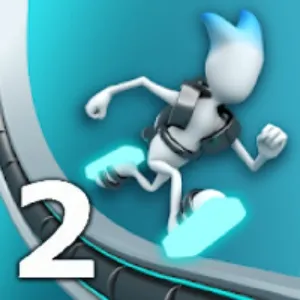
G‑Switch 2 builds on the original gravity‑flip runner with sharper visuals, tougher grinders and more elaborate level curves. Your character never stops sprinting; your only tool is the power to instantly swap between floor and ceiling. This simple input hides a surprising amount of depth as levels start curling into loops and flinging you straight into hazard clusters if you mistime a single switch.
Press one key to flip gravity and watch as your runner clings to whatever surface is closest. Early tracks teach you to hop small gaps and dodge basic grinders, but later ones bend corridors into arches and spirals where momentum becomes your enemy. You must anticipate how speed will carry you out of a flip, sometimes switching earlier than feels safe just to land on a fleeting patch of ground before the void.
Read more about G-Switch 2Show less
Sequels in the G-Switch line share the invert verb while tightening layouts and speed. If you can clear one title cleanly, the next usually asks for the same decision under less forgiveness.
Treat each section as a rhythm puzzle. Count beats between threats, then invert on the safe beat—not on panic.
G-Switch 2 on this website is offered as a browser HTML5 embed for quick sessions. Click Play, then click inside the stage so keyboard or touch input reaches the game instead of scrolling the page.
Progress here is about cleaner movement and better reads—not a long campaign menu. Fail, name the mistake, retry. That loop is the product.
G-Switch 2 Screenshots
G-Switch 2 Tips
- Watch ceiling and floor threats as one pattern before you invert.
- Click inside G-Switch 2 before using the keyboard so input does not scroll the page.
- Survive the first clear before chasing optional collectibles.
- Name the reason for every death—early jump, late slide, wrong lane, or bad landing.
- Look two obstacles ahead while finishing the current move.
- Keep inputs deliberate; panic mashing creates new mistakes.
- Stop after two clean segments—tired hands fail first.
- Use fullscreen on small screens only after the embed has focus.
- Listen to the rhythm of the stage as much as you watch it—many successful runs feel like keeping a beat with your gravity flips. When learning a new section, break it into two or three problem spots and practise just those transitions rather than replaying the entire level each time. If you are stuck, try changing your approach: flipping slightly earlier can put you on a different curve of the track and open a safer line you had not seen before.
- To master harder tracks, think about where your runner will end up two flips ahead instead of only reacting to the next hazard. Watch the curvature of the corridor: flipping on an upward curve often catapults you further than flipping on a flat stretch. In multiplayer or high‑speed modes, deliberately practise ‘late saves’—situations where you wait until the last safe frame to flip—so you learn exactly how much room for error you truly have when the camera is rushing.
How to Play G-Switch 2
Jumping
Some layouts still use hops, but most distance comes from which surface you stand on after an invert.
Sliding
If a build includes slides or ducks, treat them as secondary to invert timing.
Gravity flips
Watch both floor and ceiling threats. Flip on the beat that places you on the empty surface, not the busy one.
Avoiding traps
Look past the hazard you are clearing. Many fails happen after a successful move into the next trap with no recovery time.
If a grinder cycle confuses you, watch one death without input, then replay.
G-Switch 2 Levels
G-Switch 2 advances through compact stages or escalating stretches where invert windows get tighter.
Later layouts combine floor and ceiling threats so one late flip fails a whole sequence.
Practice sections as rhythm drills instead of inventing unofficial stage names.
G-Switch 2 on Mobile
G-Switch 2 on this website is a browser HTML5 embed. You can play in a desktop or mobile browser without installing a desktop launcher from this page.
Some titles also exist as separate mobile store apps. Store builds can differ in menus, updates, saves, and control overlays. Clearing a stage in the browser embed does not automatically sync with an app save.
Desktop keyboards are often kinder for precise timing. On phones, keep the game area large enough to see upcoming obstacles and use fullscreen when the player supports it.
If controls fail, tap or click inside the game first. Then refresh or try another current browser if input still never arrives.
G-Switch 2 vs Similar Games
| Game | Style | Difficulty | Main Mechanic |
|---|---|---|---|
| G-Switch 2 | Gravity | Hard | Invert |
| G Switch 3 | Parkour | Hard | Movement |
| G Switch 4 | Parkour | Hard | Movement |
| Vector Rush | Runner | Hard | Timing |
Frequently Asked Questions
G-Switch 2 frequently asked questions
Can I play G-Switch 2 online?
Yes. Use the browser player on this page. Click Play, then click inside the stage so controls reach the game.
Do I need to download G-Switch 2?
Not for this page. The embed is an HTML5 browser build. Any official mobile store app is a separate product.
What are the controls for G-Switch 2?
Use the keyboard or on-screen controls shown in the player. Always click the game area first so keys do not scroll the page.
Controls are not responding—what should I check?
Click or tap inside the game area so the player has focus, then try again. If needed, refresh the page or try another current browser.
Can I play G-Switch 2 on mobile?
Mobile browser play depends on the embed and touch controls. Keep the stage visible and use fullscreen when available. Desktop keyboards are often easier for precise timing.
What makes G-Switch 2 challenging?
Difficulty comes from timing, reading the next hazard, and committing to movement under pressure—not from complicated menus.
You May Also Like

Platform
Stickman Challenge 2Precision jumps and tight rooms where timing ends the run instantly.
Play